I've run into a bit of a challenge with my work and thought I might be able to get some good advice by drawing attention to it here. I've outlined the problem quite succinctly here.
If you have any Best Practice ideas based on your own work, please do leave a comment if you can. Thanks!
Thursday, December 31, 2009

Thursday, November 19, 2009
Syntax Highlighter
I'd like to send a shout out & much thanks to Nilesh Thakkar, a software engineer at SIHL in India for recommending I introduce Syntax Highlighter into this blog. It provides a super simple way to display source code to fellow developers. You'll see it used in all future posts.
Incidentally, for anyone else writing a blog on Blogger, Matthew Ball has provided a step-by-step explanation of how to add Syntax Highlighter.
Thank you, Nilesh!!
Incidentally, for anyone else writing a blog on Blogger, Matthew Ball has provided a step-by-step explanation of how to add Syntax Highlighter.
Thank you, Nilesh!!
Wednesday, November 18, 2009
Encoding & Decoding Bit-Sums For a CheckBoxList
Have you ever had occasion where you need to allow users to select one or more items in a list? With ASP.Net a good UI control to do that with is the CheckBoxList. Here's a pair of examples:

Then the question arises, how do you store their selections? If the potential list is quite long then you're probably going to want to use a CDF string of the values you've assigned to each list item - example: "2,3,11,17,34"
But for smaller, more finite lists a good way to go is with bit-encoded sums. You assign each list item a base-2 value, such as:
Encoding the values is very straightforward. Here's a little algorithm that does the job:
Decoding though is somewhat trickier. I imagine there are many possible approaches. Here's a method I created to do the job:

Then the question arises, how do you store their selections? If the potential list is quite long then you're probably going to want to use a CDF string of the values you've assigned to each list item - example: "2,3,11,17,34"
But for smaller, more finite lists a good way to go is with bit-encoded sums. You assign each list item a base-2 value, such as:
- Item A 2^0 = 1
- Item B 2^1 = 2
- Item C 2^2 = 4
- Item D 2^3 = 8
Encoding the values is very straightforward. Here's a little algorithm that does the job:
int newSum = 0;
    foreach (ListItem item in checkBoxList.Items)
    {
      if (item.Selected)
        newSum += Convert.ToInt32(item.Value);
    }
Decoding though is somewhat trickier. I imagine there are many possible approaches. Here's a method I created to do the job:
private void SelectCblItems(CheckBoxList cbl, int sum)
  {
    // Determine the largest Base-2 Power that comprises sum
    int maxPower = (int)Math.Log(sum, 2);
    for (int pow = maxPower; pow >= 0; pow--)
    {
      int partSum = (int)Math.Pow(2, pow);
      if (partSum <= sum)
      {
        ListItem listItem = cbl.Items.FindByValue(partSum.ToString());
        if (listItem != null)
          listItem.Selected = true;

        sum -= partSum;
      }
    }
  }
Sunday, September 20, 2009
Lessons Learned from Setting Up One's Own Test Server
I've had occasion to set up a simple test server on which to test an AJAX enabled ASP.Net web app. 99% of the time there'll be just me or a client (in a distant location) testing it. Knowing that this load was quite small, I felt confident using an old P4 machine with Windows XP.
But lo and behold, strange things started occurring. At seemingly random times the app would hang. This was most often noticeable when I was opening a treeview and additional nodes were being loaded on demand. It was strange though because this never happened within the Visual Studio 2008 debug environment. It also never occurred when I opened a browser on the test server itself and connected via the localhost. So what was the problem?
At first I thought it had something to do with the fact that from my workstation I was going out to the Internet and then coming back into the test server. This would explain an increased latency (lag time) but not necessarily explain why it was timing out so frequently.
Eventually, through the help of ASP.Net forums contributor Jeffery Tay, I found the answer! When I mentioned to him that I was using Windows XP on the test server he immediately clued me into the fact that the default number of connections for XP was just 10. Because multiple connections are frequently opened for even simple operations, this might explain why the server appeared to be hanging. After a little research I found this useful discussion. It showed me how to bump up the connection limit to 39.
Only time will tell if this is a complete & final solution but so far it appears to have resolved everything!
But lo and behold, strange things started occurring. At seemingly random times the app would hang. This was most often noticeable when I was opening a treeview and additional nodes were being loaded on demand. It was strange though because this never happened within the Visual Studio 2008 debug environment. It also never occurred when I opened a browser on the test server itself and connected via the localhost. So what was the problem?
At first I thought it had something to do with the fact that from my workstation I was going out to the Internet and then coming back into the test server. This would explain an increased latency (lag time) but not necessarily explain why it was timing out so frequently.
Eventually, through the help of ASP.Net forums contributor Jeffery Tay, I found the answer! When I mentioned to him that I was using Windows XP on the test server he immediately clued me into the fact that the default number of connections for XP was just 10. Because multiple connections are frequently opened for even simple operations, this might explain why the server appeared to be hanging. After a little research I found this useful discussion. It showed me how to bump up the connection limit to 39.
Only time will tell if this is a complete & final solution but so far it appears to have resolved everything!
Friday, September 18, 2009
Frustrating Deployment Experience!
I've deployed a few simple AJAX-enabled web pages to a local server that is accessed through the Internet by just two people: me & a client.
When running locally in the VS2008 environment it works perfectly fine but when accessed through this server there are frequent and mysterious timeouts. There appears to be no pattern to when & why they occur. Sometimes I get strange errors with codes in the 40000 & 50000 range. Other times it just hangs. There is so little load on this server that I do not understand why this is occurring.
I suspect this is an AJAX related problem but am not sure of that. I'm wondering if anyone else has experienced something similar and might have some tips about how to resolve it?
When running locally in the VS2008 environment it works perfectly fine but when accessed through this server there are frequent and mysterious timeouts. There appears to be no pattern to when & why they occur. Sometimes I get strange errors with codes in the 40000 & 50000 range. Other times it just hangs. There is so little load on this server that I do not understand why this is occurring.
I suspect this is an AJAX related problem but am not sure of that. I'm wondering if anyone else has experienced something similar and might have some tips about how to resolve it?
Thursday, August 27, 2009
Find All Occurences of a Specific Field Name in SQL Server
Here's a useful T-SQL script that will identify every table that has a field with a specific name:
select sysobjects.name
  from syscolumns
      left join sysobjects on sysobjects.id = syscolumns.id
  where syscolumns.name like 'myFieldName'
  order by 1
Source - Steve Gray
Wednesday, August 26, 2009
Developer AutoLogin & Redirect
A large project I'm working on these days includes a Login page which each user must pass through before being able to access the rest of the site. There is code similar to this that prevents unauthorized entry onto every page:

For some time I would just comment out this code until the rest of the module was complete. The problem with that is that as the application became more & more sophisticated, there was assorted initialization code elsewhere that has to be executed each & every time.
For the Run-Debug cycle it became exceptionally time consuming (and annoying) to manually go through the entire login process every time. Here's an example of the steps involved:


Oh sure, it's just a few keystrokes and mouse clicks each time but repeated dozens (or hundreds!) of times per day, one soon hopes for a way to automate the process. And I found it!
In Visual Studio's Solution Explorer, right-click on whatever page you're working on and choose "Set As Start Page" from the popup menu. Note: You've probably already done this!
Now in the Page_Init event handler of your Master Page (FYI all my projects use Master Pages) add this code:
protected void Page_Init(object sender, EventArgs e)
{
if (!IsPostBack)
{
// If we're on a development machine then record the Start Page that Visual Studio is set to
string currPage = Page.ResolveUrl(Request.ServerVariables["URL"].ToString());
if (System.Diagnostics.Debugger.IsAttached && SessionData.GetCurrentUser() == "")
if (SessionData.GetSessionObject("CurrentDebugPage") == null)
SessionData.SaveSessionObject("CurrentDebugPage", currPage);
}
}
Then in the Page_Load event handler of your login page add this code:
// Note: This must be set above: using System.Web.Security;
protected void Page_Load(object sender, EventArgs e)
{
// This tests whether we're running on a development machine. If so, we'll automatically login.
if (System.Diagnostics.Debugger.IsAttached && SessionData.GetCurrentUser() == "")
{
string currUser = "your_username";
FormsAuthenticationTicket ticket = new FormsAuthenticationTicket(currUser, false, 5);
string encryptedTicket = FormsAuthentication.Encrypt(ticket);
HttpCookie authCookie = new HttpCookie(FormsAuthentication.FormsCookieName, encryptedTicket);
Response.Cookies.Add(authCookie);
// If a specific page has been set as the Start Page then redirect to it; otherwise go to the Default page
string currDebugPage = SessionData.GetSessionObject("CurrentDebugPage").ToString();
HttpContext.Current.Response.Redirect((currDebugPage == null) ? "~/default.aspx" : currDebugPage, true);
}
}
Note: The various SessionData methods are just simple ones I've constructed to ease the process of storing & retrieving variables in the Session State. I will gladly provide them upon request.
The result is that now, every time I run my project in Visual Studio, it jumps right to the desired web page, logging me in automatically. And yet when run in non-Debug mode it works normally. So I don't have to alter any code whenever I release a new production version.
In case you're wondering how this works, the process is quite straightforward:

For some time I would just comment out this code until the rest of the module was complete. The problem with that is that as the application became more & more sophisticated, there was assorted initialization code elsewhere that has to be executed each & every time.
For the Run-Debug cycle it became exceptionally time consuming (and annoying) to manually go through the entire login process every time. Here's an example of the steps involved:


Oh sure, it's just a few keystrokes and mouse clicks each time but repeated dozens (or hundreds!) of times per day, one soon hopes for a way to automate the process. And I found it!
In Visual Studio's Solution Explorer, right-click on whatever page you're working on and choose "Set As Start Page" from the popup menu. Note: You've probably already done this!
Now in the Page_Init event handler of your Master Page (FYI all my projects use Master Pages) add this code:
protected void Page_Init(object sender, EventArgs e)
{
if (!IsPostBack)
{
// If we're on a development machine then record the Start Page that Visual Studio is set to
string currPage = Page.ResolveUrl(Request.ServerVariables["URL"].ToString());
if (System.Diagnostics.Debugger.IsAttached && SessionData.GetCurrentUser() == "")
if (SessionData.GetSessionObject("CurrentDebugPage") == null)
SessionData.SaveSessionObject("CurrentDebugPage", currPage);
}
}
Then in the Page_Load event handler of your login page add this code:
// Note: This must be set above: using System.Web.Security;
protected void Page_Load(object sender, EventArgs e)
{
// This tests whether we're running on a development machine. If so, we'll automatically login.
if (System.Diagnostics.Debugger.IsAttached && SessionData.GetCurrentUser() == "")
{
string currUser = "your_username";
FormsAuthenticationTicket ticket = new FormsAuthenticationTicket(currUser, false, 5);
string encryptedTicket = FormsAuthentication.Encrypt(ticket);
HttpCookie authCookie = new HttpCookie(FormsAuthentication.FormsCookieName, encryptedTicket);
Response.Cookies.Add(authCookie);
// If a specific page has been set as the Start Page then redirect to it; otherwise go to the Default page
string currDebugPage = SessionData.GetSessionObject("CurrentDebugPage").ToString();
HttpContext.Current.Response.Redirect((currDebugPage == null) ? "~/default.aspx" : currDebugPage, true);
}
}
Note: The various SessionData methods are just simple ones I've constructed to ease the process of storing & retrieving variables in the Session State. I will gladly provide them upon request.
The result is that now, every time I run my project in Visual Studio, it jumps right to the desired web page, logging me in automatically. And yet when run in non-Debug mode it works normally. So I don't have to alter any code whenever I release a new production version.
In case you're wondering how this works, the process is quite straightforward:
- The Master page's Page_Init event handler is run before every Content page's Page_Load event handler. It records the start page that the developer wanted to go to, placing this string into a Session variable.
- When that desired page's Page_Load event handler is initially entered, the security checks therein reject entry because the user is not logged in. They then redirect to the Login page.
- In the Login page the special test in Page_Load passes because the code is being run from Visual Studio and because the user is not yet logged in.
- A FormsAuthenticationTicket is instantiated and then placed in a Cookie. This allows one to artificially login through the ASP.Net Login mechanism.
- The desired start page, originally stored by the Master Page, is retrieved from the Session State and control is redirected to that page.
- This second time the security checks in the desired page's Page_Load event handler pass because the user is now officially logged in.
Monday, August 17, 2009
A "Subtle" MessageBox
For years now, whenever I wanted to display a message box to the user I'd use some variation of the following:
// Displays an alert message box to the user.
public static void ShowMessage(string msg)
{
msg = Tools.FixJavaScriptString(msg);
Page page = HttpContext.Current.CurrentHandler as Page;
ScriptManager.RegisterStartupScript(page, page.GetType(),
Guid.NewGuid().ToString(), "alert('" + msg + "');", true);
}
// A single apostrophe is not allowed in a SQL string
// on its own so we need to prefix it with a backslash.
public static string FixJavaScriptString(string text)
{
string text2 = text;
if (text.IndexOf("'") != -1)
text2 = text.Replace("'", "\\'");
return text2;
}
This works fine but the drawback is that the user must press the OK button on every Alert box.
Inspired by a feature I first noticed in FaceBook, I decided to create a MessageBox that would appear but then fade away after a developer-defined period of time. You can see it in action in this video:
The solution works with all of the following, which I use in most of my web development work:

I always place this code right near the bottom of every Content page, just above "".
Then add the following server-side code to your web app (I have it in a shared code file called "Common.cs") :
// Displays a message box that disappears on its own.
public static void ShowSubtleMessage(string msg, int duration, string[,] cssParams)
{
msg = Tools.FixJavaScriptString(msg);
string script = "$('div#msg').empty().html('" + msg + "'); $('div.subtleMsg')";
if (cssParams != null)
{
string property = "";
foreach (string cssItem in cssParams)
{
if (property == "")
property = cssItem;
else
{
string propVal = cssItem;
script += ".css('" + property + "', '" + propVal + "')";
property = "";
}
}
}
Page page = HttpContext.Current.CurrentHandler as Page;
script += ".fadeIn(1000).animate({ opacity: 1.0 }, " + duration.ToString() + ").fadeOut(2000);";
ScriptManager.RegisterStartupScript(page, page.GetType(), Guid.NewGuid().ToString(), script, true);
}
Here is the CSS code that I use:
div.subtleMsg
{
display:none;
float: left;
position:absolute;
left:360px;
top:220px;
width:300px;
height:100px;
background:#0e90e6 url(../Images/Gradients/blueRectGradient4.jpg);
text-align:center;
padding:10px;
font-size:16px;
font-weight:bold;
color:White;
border:ridge 5px darkgray;
}
And here's a typical call to the method:
string msg = "Blank descriptions are not allowed!";
Common.ShowSubtleMessage(msg, 2000, new string[,] { { "left", "470px" }, { "top", "310px" }, { "width", "330px" }, { "height", "60px" } });
There are several improvements that could be made:
// Displays an alert message box to the user.
public static void ShowMessage(string msg)
{
msg = Tools.FixJavaScriptString(msg);
Page page = HttpContext.Current.CurrentHandler as Page;
ScriptManager.RegisterStartupScript(page, page.GetType(),
Guid.NewGuid().ToString(), "alert('" + msg + "');", true);
}
// A single apostrophe is not allowed in a SQL string
// on its own so we need to prefix it with a backslash.
public static string FixJavaScriptString(string text)
{
string text2 = text;
if (text.IndexOf("'") != -1)
text2 = text.Replace("'", "\\'");
return text2;
}
This works fine but the drawback is that the user must press the OK button on every Alert box.
Inspired by a feature I first noticed in FaceBook, I decided to create a MessageBox that would appear but then fade away after a developer-defined period of time. You can see it in action in this video:
The solution works with all of the following, which I use in most of my web development work:
- The ASP.Net AJAX UpdatePanel
- C#
- jQuery

I always place this code right near the bottom of every Content page, just above "".
Then add the following server-side code to your web app (I have it in a shared code file called "Common.cs") :
// Displays a message box that disappears on its own.
public static void ShowSubtleMessage(string msg, int duration, string[,] cssParams)
{
msg = Tools.FixJavaScriptString(msg);
string script = "$('div#msg').empty().html('" + msg + "'); $('div.subtleMsg')";
if (cssParams != null)
{
string property = "";
foreach (string cssItem in cssParams)
{
if (property == "")
property = cssItem;
else
{
string propVal = cssItem;
script += ".css('" + property + "', '" + propVal + "')";
property = "";
}
}
}
Page page = HttpContext.Current.CurrentHandler as Page;
script += ".fadeIn(1000).animate({ opacity: 1.0 }, " + duration.ToString() + ").fadeOut(2000);";
ScriptManager.RegisterStartupScript(page, page.GetType(), Guid.NewGuid().ToString(), script, true);
}
Here is the CSS code that I use:
div.subtleMsg
{
display:none;
float: left;
position:absolute;
left:360px;
top:220px;
width:300px;
height:100px;
background:#0e90e6 url(../Images/Gradients/blueRectGradient4.jpg);
text-align:center;
padding:10px;
font-size:16px;
font-weight:bold;
color:White;
border:ridge 5px darkgray;
}
And here's a typical call to the method:
string msg = "Blank descriptions are not allowed!";
Common.ShowSubtleMessage(msg, 2000, new string[,] { { "left", "470px" }, { "top", "310px" }, { "width", "330px" }, { "height", "60px" } });
There are several improvements that could be made:
- The HTML markup code could potentially be created with jQuery, via a call from the server-side code. I tried to do this but after several hours gave up. Perhaps someone reading this will come up with a solution!
- Potentially the minimum required dimensions of the message box could be automatically calculated using some method in the .Net library.
Tuesday, June 16, 2009
IPostBackHandler and EnableViewState
I've spent several hours troubleshooting a crazy bug, which is explained in detail here. In a nutshell, the changed state of toolbar buttons (ASP.Net LinkButton controls) was not being kept. Every time a partial postback occurred on the web page, the changes would disappear.
I did much research and learned that the IPostBackHandler mechanism is what was responsible for restoring the control values after each postback. For some reason it didn't appear to be working. I even built a small test project but it did work in that!
Suddenly I noticed that the test page in my main project had EnableViewState=false. I changed it to true and ... everything worked fine!
My findings seem to conflict with several articles, including this one. All I know is that in my case EnableViewState must be set to true.
I'm posting this, both as a future reminder to myself and in the hopes that a State Management guru will read it and explain to me what's really going on.
I did much research and learned that the IPostBackHandler mechanism is what was responsible for restoring the control values after each postback. For some reason it didn't appear to be working. I even built a small test project but it did work in that!
Suddenly I noticed that the test page in my main project had EnableViewState=false. I changed it to true and ... everything worked fine!
My findings seem to conflict with several articles, including this one. All I know is that in my case EnableViewState must be set to true.
I'm posting this, both as a future reminder to myself and in the hopes that a State Management guru will read it and explain to me what's really going on.
Thursday, June 11, 2009
pageLoad() and $(document).ready()
I just read a pair of articles by Dave Ward over at his excellent Encosia site. This one focuses on the differences between pageLoad() and $(document).ready() and this one focuses on having a pageLoad() function in both a Content page and a Master page.
If you're not 100% familiar about when these functions fire (and don't fire) then I'd strongly recommend reading both articles.
If you're not 100% familiar about when these functions fire (and don't fire) then I'd strongly recommend reading both articles.
Tuesday, June 9, 2009
Cacading Events in a Master-Content Page Project
I came across a situation where I needed to add a toolbar to a Master Page and monitor the toolbar button events from the Content Pages. I did a bunch of research and came across this article. It explains what one must do to accomplish this.
One key necessity is to add a directive similar to this on every content page:
<%@ MasterType VirtualPath="~/main.Master" %>
Then in the Master Page you have to define an event handler similar to this:
public event EventHandler CommandButton_ClickHandler;
When a button in the Master Page is pressed, you explicitly fire the event like this:
protected void CommandButton_Click(object sender, EventArgs e)
{
CommandButton_ClickHandler(sender, e);
}
Finally, in every content page you have to wire up the event handler mechanism:
protected void Page_Init(object sender, EventArgs e)
{
Master.Toolbar_ClickHandler += new EventHandler(CommandButton_Click);
}
Whenever a button in the Master Page is pressed, it causes the event handler you setup to fire, which in turn is monitored by the listener in the content page. It's all quite simple but you have to get the syntax just right.
I created a small proof of concept project, which includes buttons directly located in a Master Page, as well as another example of buttons in a toolbar, which in turn sits in a Master Page. You can download this project here. For the first approach, set "default.aspx" as the start page. For the second approach, use "default2.aspx" instead. Hopefully this will help you implement this powerful concept in your own work!
One key necessity is to add a directive similar to this on every content page:
<%@ MasterType VirtualPath="~/main.Master" %>
Then in the Master Page you have to define an event handler similar to this:
public event EventHandler CommandButton_ClickHandler;
When a button in the Master Page is pressed, you explicitly fire the event like this:
protected void CommandButton_Click(object sender, EventArgs e)
{
CommandButton_ClickHandler(sender, e);
}
Finally, in every content page you have to wire up the event handler mechanism:
protected void Page_Init(object sender, EventArgs e)
{
Master.Toolbar_ClickHandler += new EventHandler(CommandButton_Click);
}
Whenever a button in the Master Page is pressed, it causes the event handler you setup to fire, which in turn is monitored by the listener in the content page. It's all quite simple but you have to get the syntax just right.
I created a small proof of concept project, which includes buttons directly located in a Master Page, as well as another example of buttons in a toolbar, which in turn sits in a Master Page. You can download this project here. For the first approach, set "default.aspx" as the start page. For the second approach, use "default2.aspx" instead. Hopefully this will help you implement this powerful concept in your own work!
Sunday, June 7, 2009
Review: Windows 7 - 64 bit Release Candidate
For those seeking unbiased independent feedback on the upcoming Windows 7, these comments are not mine but come from a tech savvy friend/colleague:
Windows 7 RC 64-bit – Notes:
- One thing I noticed right off the hop was that it went out and automatically went looking for drivers for the hardware in my laptop. It must have reported my configuration back to Microsoft and then automatically downloaded whatever it had been able to identify. I have not done much with it yet, but I can see that it is more responsive. Total memory load after initial boot (with nothing else installed on the system) is 16 % of 4094 (4 GB total RAM) or approx. 650 MB, this compares with about 900 MB on my Vista system (same platform).
- Memory footprint is now sitting at 1 GB just about all the time, surprisingly it remains quite responsive but don't even think of running this on less than a dual-core.
- There is no email client installed by default, you can go to the MS site and download live mail. They cut out a bunch of "default" applications (messenger etc. – although I don’t use it anyway).
- It now includes a screen capture tool, obviously not as full featured as SnagIt but still functional.
- The Windows side bar from Vista and any screen gadgets are not loaded at startup by default, although if you get a system from Dell or HP I imagine that they will add their own tweaks to the interface.
- They are trying to make the computer even easier to use in the future (people will not have a clue how to do anything). I suppose many people just want that to be the way their computer works (just make it work and I don't give a S**T what goes on underneath). This was clearly evidenced by the fact that it went out looking for drivers for my system without my intervention. I suppose a Mac works the same way, how many people know that Unix is sitting under the hood, not your average user anyway.
- Everything looks very like Vista. Taskbar is different and you can pin shortcuts to it. They have added a glow effect when you mouse over.
- File copying still is not as fast as XP, but improved from Vista.
- Boot time is quicker than my XP desktop and recovery from sleep is VERY quick.
- Installed 32-bit Adobe Photoshop and LightRoom - no problem.
- Installed 64-bit Java but Adobe Flash is not available in 64-bit yet, so you need to run two different browsers to get full functionality (Youtube and Java sites).
- After system boot RAM is at 837 MB and the system is usable, although there is still stuff going on in the background and if you let the system settle down for a few minutes the RAM is then at 971 MB.
- Ran a virus scan (Avira - free) on schedule, but the memory consumed by the application did not release after the scan was complete (then at 1225 MB).
- Installed Firefox – no problems.
- If you want to install the applications that MS cut from the install (mail client, messenger etc) then you have to install "Live Essentials". If you select everything this loads a HUGE suite of applications, you can be selective, but I went to see what it wanted to load with just the mail client and it was more than I wanted on the system. I think in such cases it would be better to load individual "other" applications to fill the gap (Thunderbird, Picasa etc.). Although I think it would depend on the user that I was doing this for.
- I was looking at pricing today as the download from MS is Windows 7 Ultimate version. There is no pricing announced, but Vista Ultimate was selling for $591......wow !! I could not see paying anything even close to that for an operating system and it "aint that good".....at least not $600 worth of good.
- General observation on installing software - there is a very definite pause before anything starts to happen, in fact you might even think that things had froze. The user account control is way less annoying (I guess they must have listened there also), but still pops up if there are changes going to happen to the system (like installing software). I tried installing SnagIt, but when it got to installing the printer driver the whole process got stuck consuming 50 % of the CPU and I had to kill everything and reboot to finally clear it.
- By the way I have not tweaked this installation at all and everything that was "running out of the box" is still running (like indexing, defender etc.). I decided to leave it as is and just see how it performs. So far it seems to do quite well, despite the huge amount of RAM that it is consuming. I see several comments on the web about people calling this "what Vista was supposed to be". Vista never should have shipped.
- Windows 7 is looking like a definite improvement on Vista. Today there was a flag in the notification area that wanted me to setup a backup. I decided to play along and it walked me through choosing a destination. It gives all sorts of hints and links to get more information. Once I had chosen a backup location (my FreeNAS backup server) it looked at it and said that it was visible to other users and was this okay. We proceeded and I let it go with whatever defaults it wanted to save, which included making a full disc image as well as saving all of my documents and settings. It then prompted and said to access the disc image you would have to create a rescue cd or dvd, I clicked that link and it walked me through the process of making a rescue disc.
- When you look at these things that they have thrown in, such as: screen capture, decent backup utility, screen notes etc......plus whatever I have not come across yet, it looks like maybe they are starting to get the right idea (after how many years......). I suppose I should try and find a feature list somewhere so I can take full advantage of this "test drive".
- Had a spare 2 GB high speed SD card so I decided to add that to the system and let it use it as “Ready Boost”. Things seem to be snappier, but I am not sure if that is real or imagined. My system is quick and does have good specs. (Core 2 Duo 2.1 GHZ with 4 GB RAM). I will leave it in for a few days and then remove it and see if I notice any change.
- Could not install Zonealarm Security Suite – not ready for Windows 7 yet.
- Regular virus scan just started and the system is now consuming approx. 1750 MB RAM. Max RAM consumed during this process was as high as 1975 MB – ouch !! Scan completed and it failed to release the RAM again – now sitting at 1941 MB – obviously a reboot will fix that, but that is not right. Seeing as other applications do not do this it has to be the Avira anti-virus that is causing this.
- I did have one unidentified item in Device Manager, this is now resolved (but not by me). I have to assume that one of the updates from MS fixed this.
- Not all of the themes are enabled but can be added. There are different themes for different countries (US, Cdn, South Africa, Aus, UK) – I like the Cdn. theme.
Windows 7 RC 64-bit – Notes:
- One thing I noticed right off the hop was that it went out and automatically went looking for drivers for the hardware in my laptop. It must have reported my configuration back to Microsoft and then automatically downloaded whatever it had been able to identify. I have not done much with it yet, but I can see that it is more responsive. Total memory load after initial boot (with nothing else installed on the system) is 16 % of 4094 (4 GB total RAM) or approx. 650 MB, this compares with about 900 MB on my Vista system (same platform).
- Memory footprint is now sitting at 1 GB just about all the time, surprisingly it remains quite responsive but don't even think of running this on less than a dual-core.
- There is no email client installed by default, you can go to the MS site and download live mail. They cut out a bunch of "default" applications (messenger etc. – although I don’t use it anyway).
- It now includes a screen capture tool, obviously not as full featured as SnagIt but still functional.
- The Windows side bar from Vista and any screen gadgets are not loaded at startup by default, although if you get a system from Dell or HP I imagine that they will add their own tweaks to the interface.
- They are trying to make the computer even easier to use in the future (people will not have a clue how to do anything). I suppose many people just want that to be the way their computer works (just make it work and I don't give a S**T what goes on underneath). This was clearly evidenced by the fact that it went out looking for drivers for my system without my intervention. I suppose a Mac works the same way, how many people know that Unix is sitting under the hood, not your average user anyway.
- Everything looks very like Vista. Taskbar is different and you can pin shortcuts to it. They have added a glow effect when you mouse over.
- File copying still is not as fast as XP, but improved from Vista.
- Boot time is quicker than my XP desktop and recovery from sleep is VERY quick.
- Installed 32-bit Adobe Photoshop and LightRoom - no problem.
- Installed 64-bit Java but Adobe Flash is not available in 64-bit yet, so you need to run two different browsers to get full functionality (Youtube and Java sites).
- After system boot RAM is at 837 MB and the system is usable, although there is still stuff going on in the background and if you let the system settle down for a few minutes the RAM is then at 971 MB.
- Ran a virus scan (Avira - free) on schedule, but the memory consumed by the application did not release after the scan was complete (then at 1225 MB).
- Installed Firefox – no problems.
- If you want to install the applications that MS cut from the install (mail client, messenger etc) then you have to install "Live Essentials". If you select everything this loads a HUGE suite of applications, you can be selective, but I went to see what it wanted to load with just the mail client and it was more than I wanted on the system. I think in such cases it would be better to load individual "other" applications to fill the gap (Thunderbird, Picasa etc.). Although I think it would depend on the user that I was doing this for.
- I was looking at pricing today as the download from MS is Windows 7 Ultimate version. There is no pricing announced, but Vista Ultimate was selling for $591......wow !! I could not see paying anything even close to that for an operating system and it "aint that good".....at least not $600 worth of good.
- General observation on installing software - there is a very definite pause before anything starts to happen, in fact you might even think that things had froze. The user account control is way less annoying (I guess they must have listened there also), but still pops up if there are changes going to happen to the system (like installing software). I tried installing SnagIt, but when it got to installing the printer driver the whole process got stuck consuming 50 % of the CPU and I had to kill everything and reboot to finally clear it.
- By the way I have not tweaked this installation at all and everything that was "running out of the box" is still running (like indexing, defender etc.). I decided to leave it as is and just see how it performs. So far it seems to do quite well, despite the huge amount of RAM that it is consuming. I see several comments on the web about people calling this "what Vista was supposed to be". Vista never should have shipped.
- Windows 7 is looking like a definite improvement on Vista. Today there was a flag in the notification area that wanted me to setup a backup. I decided to play along and it walked me through choosing a destination. It gives all sorts of hints and links to get more information. Once I had chosen a backup location (my FreeNAS backup server) it looked at it and said that it was visible to other users and was this okay. We proceeded and I let it go with whatever defaults it wanted to save, which included making a full disc image as well as saving all of my documents and settings. It then prompted and said to access the disc image you would have to create a rescue cd or dvd, I clicked that link and it walked me through the process of making a rescue disc.
- When you look at these things that they have thrown in, such as: screen capture, decent backup utility, screen notes etc......plus whatever I have not come across yet, it looks like maybe they are starting to get the right idea (after how many years......). I suppose I should try and find a feature list somewhere so I can take full advantage of this "test drive".
- Had a spare 2 GB high speed SD card so I decided to add that to the system and let it use it as “Ready Boost”. Things seem to be snappier, but I am not sure if that is real or imagined. My system is quick and does have good specs. (Core 2 Duo 2.1 GHZ with 4 GB RAM). I will leave it in for a few days and then remove it and see if I notice any change.
- Could not install Zonealarm Security Suite – not ready for Windows 7 yet.
- Regular virus scan just started and the system is now consuming approx. 1750 MB RAM. Max RAM consumed during this process was as high as 1975 MB – ouch !! Scan completed and it failed to release the RAM again – now sitting at 1941 MB – obviously a reboot will fix that, but that is not right. Seeing as other applications do not do this it has to be the Avira anti-virus that is causing this.
- I did have one unidentified item in Device Manager, this is now resolved (but not by me). I have to assume that one of the updates from MS fixed this.
- Not all of the themes are enabled but can be added. There are different themes for different countries (US, Cdn, South Africa, Aus, UK) – I like the Cdn. theme.
Wednesday, June 3, 2009
ThickBox Demo Project
As a follow-up to my recent postings about ThickBox, I've created a demonstration page, which succinctly summarizes my work on ThickBox to date. It also provides some improvements over what I've written previously. Plus, you're able to download all of the code as well, which should especially help people learning jQuery and ThickBox anew.
Sunday, May 31, 2009
Further Thoughts on ModalPopupExtender to ThickBox Conversion
I added an important paragraph to my earlier post on this subject, which reads as follows:
Let me also say from the outset that not all dialog boxes can be converted over easily. To date I have not found a way to get rid of the Modal Popup Extender if the dialog box depends on server-side code for its operation. The basic problem is that if a postback has to occur then the ThickBox dialog box will disappear, at least temporarily, which is unacceptable. Perhaps there's a way around this but I have not yet discovered it. So make sure you have a good backup before you proceed with any conversion attempt!
ThickBox was clearly not created with ASP.Net in mind. My conclusion is that it works great for simple dialog boxes. You'll end up with a smaller footprint, which will speed up your app. But if there's something more sophisticated necessary, whether it be more complex validation or any server-side code that needs to be run, then I do believe that the ModalPopupExtender is the preferred choice.
I hate the idea of having to include both jQuery and the AJAX Control Toolkit but I don't see a way around it at this time. Perhaps a developer, much more Javascript savvy than me, will build a jQuery Plugin that will truly replace the ModalPopupExtender!
Let me also say from the outset that not all dialog boxes can be converted over easily. To date I have not found a way to get rid of the Modal Popup Extender if the dialog box depends on server-side code for its operation. The basic problem is that if a postback has to occur then the ThickBox dialog box will disappear, at least temporarily, which is unacceptable. Perhaps there's a way around this but I have not yet discovered it. So make sure you have a good backup before you proceed with any conversion attempt!
ThickBox was clearly not created with ASP.Net in mind. My conclusion is that it works great for simple dialog boxes. You'll end up with a smaller footprint, which will speed up your app. But if there's something more sophisticated necessary, whether it be more complex validation or any server-side code that needs to be run, then I do believe that the ModalPopupExtender is the preferred choice.
I hate the idea of having to include both jQuery and the AJAX Control Toolkit but I don't see a way around it at this time. Perhaps a developer, much more Javascript savvy than me, will build a jQuery Plugin that will truly replace the ModalPopupExtender!
Thursday, May 28, 2009
Converting the ModalPopupExtender to ThickBox
As a follow-up to my two articles on using jQuery's ThickBox plugin instead of the AJAX Control Toolkit Modal Popup Extender, I thought it prudent to provide a checklist of what steps are needed, as I've even forgotten some myself at times!
Let me also say from the outset that not all dialog boxes can be converted over easily. To date I have not found a way to get rid of the Modal Popup Extender if the dialog box depends on server-side code for its operation. The basic problem is that if a postback has to occur then the ThickBox dialog box will disappear, at least temporarily, which is unacceptable. Perhaps there's a way around this but I have not yet discovered it. So make sure you have a good backup before you proceed with any conversion attempt!
There are several different ways to setup ThickBox in your project and use it in place of the Modal Popup Extender. I'm simply going to describe one approach that works well for me.
1. Reference jQuery and ThickBox within the Script Manager.

2. Configure how Thickbox references the loading animation GIF file. More here in Step 1.
3. Reference thickbox.css. You will likely want to customize this CSS file to suit your particular needs.

4. Update the path to macFFBgHack.png as described in Step 2 here.
5. Remove the entire ModalPopupExtender element in the ASPX file.
6. Change the asp:Panel element that the ModalPopupExtender referenced to a div element instead. Remember to modify the closing tag as well. In what is now the opening div element remove runat="server" and Enabled="false". Then add style="display:none" to this opening div element.
7. The section within the opening and closing div tags define the contents of the dialog box that you're going to display. You can leave them exactly as they were working with the ModalPopupExtender, albeit with one minor caveat:
Any Button controls you had will no longer function. The reason has something to do with the way ThickBox copies & utilizes the markup code. But there is a simple solution: Leave the server-side events as-is. Then add this client-side event handler definition to every Button control: OnClientClick="CloseModalDialog(this)"
8. Since ThickBox will likely be used by many web pages, it makes sense to create a common.js external Javascript file that is referenced by all of them. In practice I have the reference for it in the same ScriptManager definition shown above, though it was removed there for clarity.
In common.js add this CloseModalDialog function:

9. In the ThickBox documentation you'll learn that the "standard" way of initiating the display of a dialog box is via an <a href= reference. That's fine but all of my work to date involves initiating dialog boxes from server-side code. For example, this was previously done like this: ModalPopupExtender1.Show();
To accomplish the same thing with ThickBox I created a server-side method called ShowDialog and placed it in a class library called Common.cs which is referenced universally by all of the web pages in my project. Here is the code:

That's it! There are indeed several steps initially but once you've done it once then successive thickboxes are much quicker to implement.
Note: If you'd like a copy of any code I've referenced, just write me and I'll send it to you!
Important Note re Validation
When fields are displayed on a typical ASP.Net web page, Validation controls are often used to ensure that the necessary fields are complete, have correct data in them, etc. If there is something wrong then when the Submit button is pressed, some sort of visual indication explains to the user what needs to be fixed.
Unfortunately this doesn't work so well when the same fields are displayed in a ThickBox dialog box. Because the aforementioned CloseModalDialog function is called every time, a postback always occurs and dialog box is lost.
So to solve the problem, an intermediary function has to be called to check whether all of the validation tests were successful; if so then continue on and call CloseModalDialog, if not then end the function quietly. In the latter case, the dialog box stay as-is and the ASP.Net validation controls work as expected, showing the user where the problem(s) lie.
In terms of checking the validation tests, I was hopeful that this approach would work, but I couldn't duplicate the author's success. So I used jQuery to simply double-check the validation again. This is not ideal but as of this time I do not have a better solution.

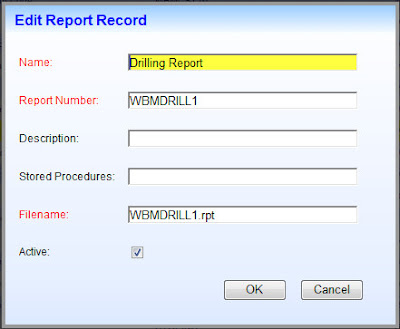
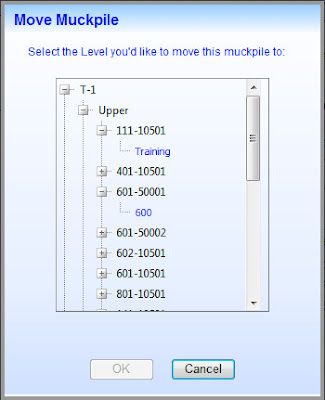
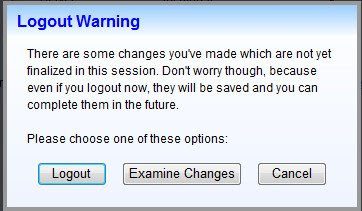
Here are some examples of modal dialog boxes I've successfully implemented with ThickBox:
Let me also say from the outset that not all dialog boxes can be converted over easily. To date I have not found a way to get rid of the Modal Popup Extender if the dialog box depends on server-side code for its operation. The basic problem is that if a postback has to occur then the ThickBox dialog box will disappear, at least temporarily, which is unacceptable. Perhaps there's a way around this but I have not yet discovered it. So make sure you have a good backup before you proceed with any conversion attempt!
There are several different ways to setup ThickBox in your project and use it in place of the Modal Popup Extender. I'm simply going to describe one approach that works well for me.
1. Reference jQuery and ThickBox within the Script Manager.

2. Configure how Thickbox references the loading animation GIF file. More here in Step 1.
3. Reference thickbox.css. You will likely want to customize this CSS file to suit your particular needs.

4. Update the path to macFFBgHack.png as described in Step 2 here.
5. Remove the entire ModalPopupExtender element in the ASPX file.
6. Change the asp:Panel element that the ModalPopupExtender referenced to a div element instead. Remember to modify the closing tag as well. In what is now the opening div element remove runat="server" and Enabled="false". Then add style="display:none" to this opening div element.
7. The section within the opening and closing div tags define the contents of the dialog box that you're going to display. You can leave them exactly as they were working with the ModalPopupExtender, albeit with one minor caveat:
Any Button controls you had will no longer function. The reason has something to do with the way ThickBox copies & utilizes the markup code. But there is a simple solution: Leave the server-side events as-is. Then add this client-side event handler definition to every Button control: OnClientClick="CloseModalDialog(this)"
8. Since ThickBox will likely be used by many web pages, it makes sense to create a common.js external Javascript file that is referenced by all of them. In practice I have the reference for it in the same ScriptManager definition shown above, though it was removed there for clarity.
In common.js add this CloseModalDialog function:

9. In the ThickBox documentation you'll learn that the "standard" way of initiating the display of a dialog box is via an <a href= reference. That's fine but all of my work to date involves initiating dialog boxes from server-side code. For example, this was previously done like this: ModalPopupExtender1.Show();
To accomplish the same thing with ThickBox I created a server-side method called ShowDialog and placed it in a class library called Common.cs which is referenced universally by all of the web pages in my project. Here is the code:

That's it! There are indeed several steps initially but once you've done it once then successive thickboxes are much quicker to implement.
Note: If you'd like a copy of any code I've referenced, just write me and I'll send it to you!
Important Note re Validation
When fields are displayed on a typical ASP.Net web page, Validation controls are often used to ensure that the necessary fields are complete, have correct data in them, etc. If there is something wrong then when the Submit button is pressed, some sort of visual indication explains to the user what needs to be fixed.
Unfortunately this doesn't work so well when the same fields are displayed in a ThickBox dialog box. Because the aforementioned CloseModalDialog function is called every time, a postback always occurs and dialog box is lost.
So to solve the problem, an intermediary function has to be called to check whether all of the validation tests were successful; if so then continue on and call CloseModalDialog, if not then end the function quietly. In the latter case, the dialog box stay as-is and the ASP.Net validation controls work as expected, showing the user where the problem(s) lie.
In terms of checking the validation tests, I was hopeful that this approach would work, but I couldn't duplicate the author's success. So I used jQuery to simply double-check the validation again. This is not ideal but as of this time I do not have a better solution.

Here are some examples of modal dialog boxes I've successfully implemented with ThickBox:


Subscribe to:
Posts (Atom)


